
White label
Your name on everything your members see
Your bot, your copier app, your website and your posts carry your name and logo. PipBeacon stays in the background.
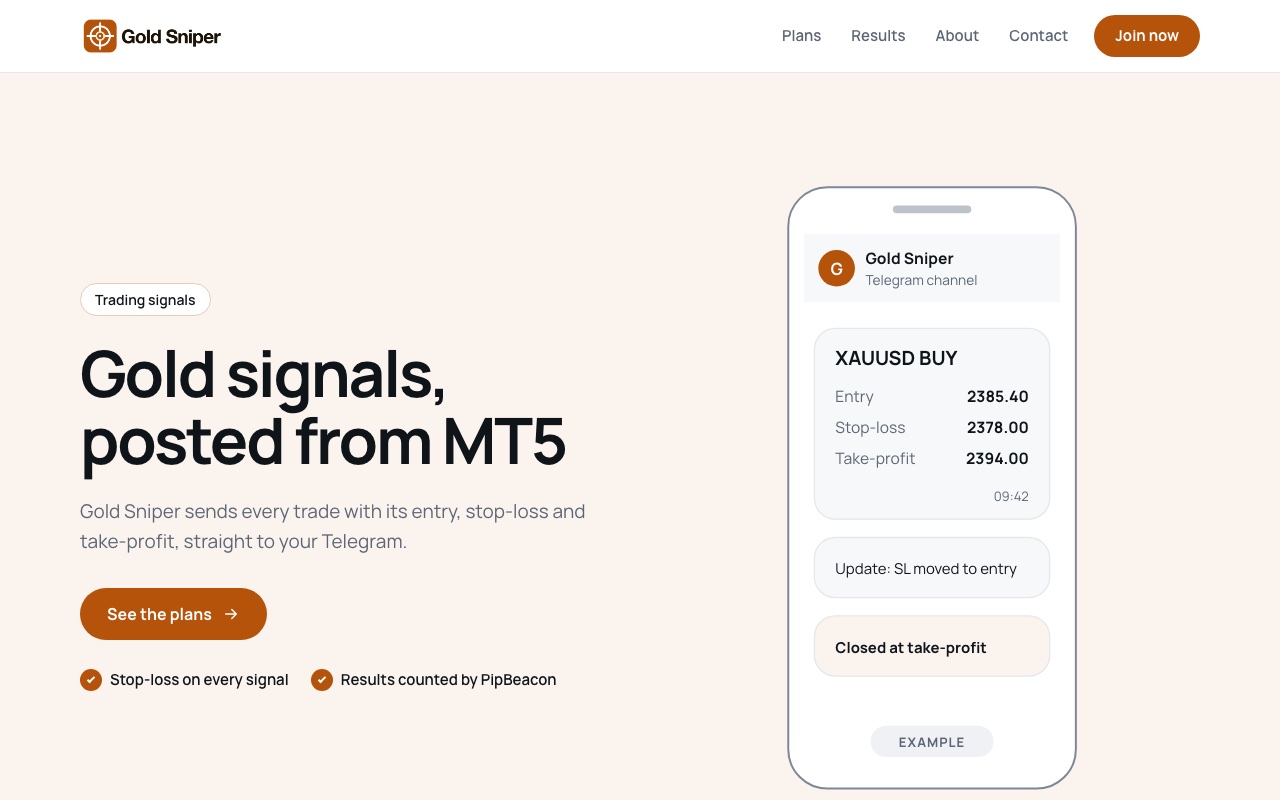
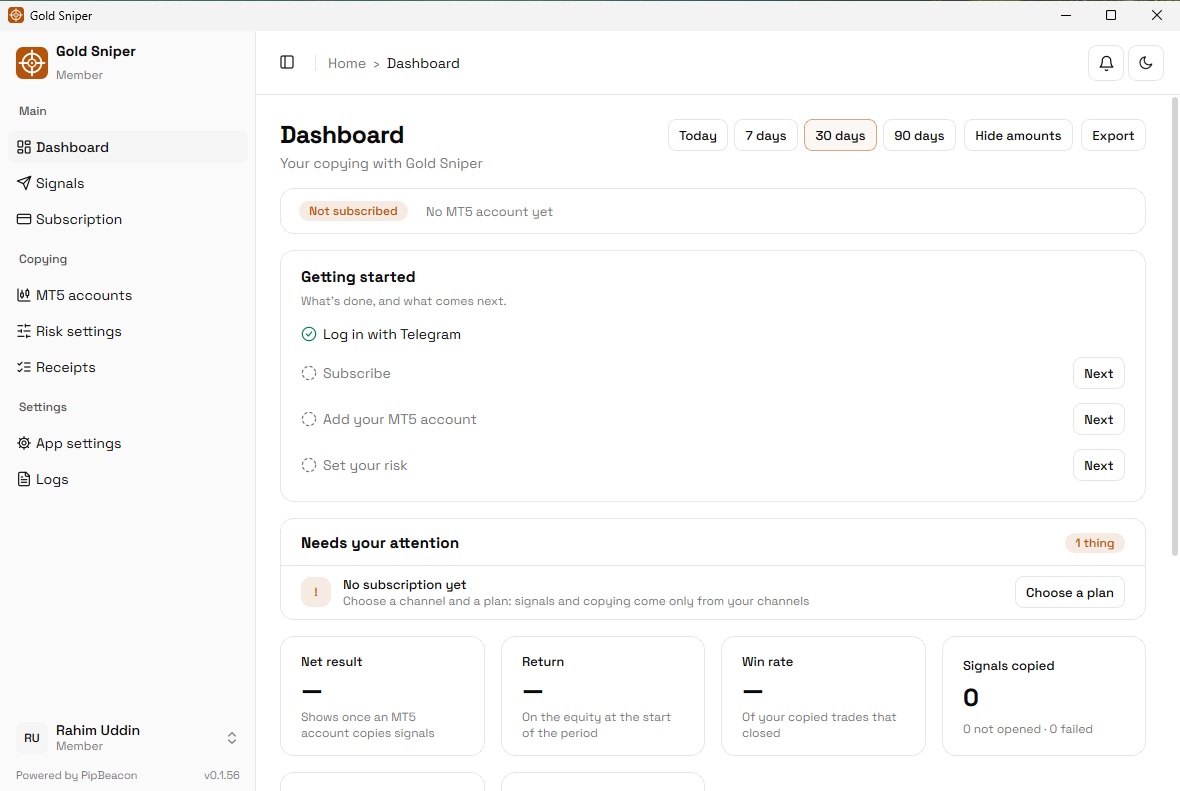
Where your brand appears
Four places a member meets your service. Each one is yours.
Your Telegram bot
You create it in BotFather. Members subscribe, pay and get their links in a chat with your name and picture.
Your copier app
One Windows app with your logo on the window, the taskbar and the tray. Members download it from your link.
Your website
On yourname.pipbeacon.com or your own domain, in a theme you pick, with your colours and logo.
Your signal posts
Posted by your bot, numbered with your own tag such as #GS0042, in a format you choose or write.
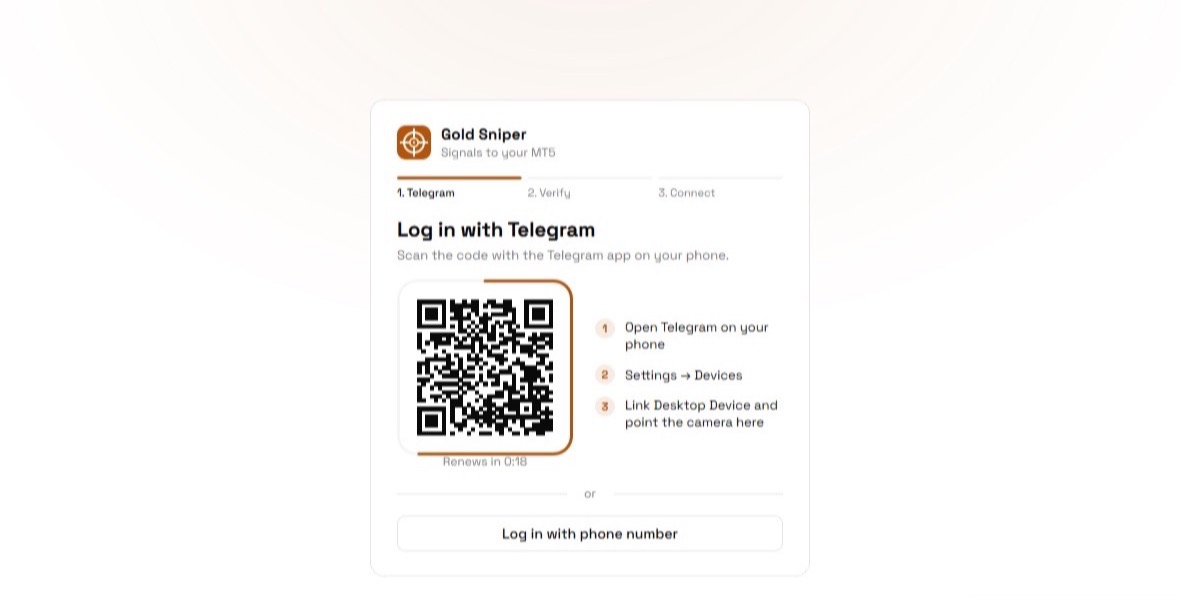
Your app, from the first screen
Members install a Windows app that opens with your name, your logo and your colour, and signs them in through your own Telegram bot.
- Your name on the window and in the taskbar
- Your logo and colour on the sign-in screen
- Members sign in with Telegram, through your bot
Example The copier app with the example provider’s brand, on Windows
This is the page your members land on
Pick a theme, then change the name, tagline, about text, logo, colours and contact details from your dashboard, and see each change before you publish.
- Your own domain, or a free yourname.pipbeacon.com address
- Your plans, with a button that opens your bot
- Take it offline at any time without losing your text
Every page ends with a small risk warning and “Powered by PipBeacon”. Nothing else of ours.
Site is live
Built for the person sending signals
Most copiers are sold to followers and carry the copier's brand. PipBeacon is sold to you and carries yours.
Your brand first
Your name and logo on the app members install and on the page they land on. PipBeacon stays in the footer.
Your money, your bot
Members pay your own wallet, number or gateway, and the bot belongs to you. PipBeacon traces payments and never holds them.
Reviewed, not anonymous
A person at PipBeacon approves every provider before anything goes live, so a PipBeacon page always belongs to someone real.
One dashboard for your team
Edit your site with a live preview, invite your team, and decide who can do what.
- Roles you set, from signals only to full access
- Two-factor sign-in for every account
- An activity log of who changed what
White-label questions
Does PipBeacon's name appear anywhere my members look?
Only as a small “Powered by PipBeacon” with the risk warning at the bottom of your website. Your bot, your app and your posts carry your name.
Can I use my own domain?
Yes. Add it in your dashboard, set the DNS record it shows you, and your site moves there once the record is seen. Until then it lives on yourname.pipbeacon.com.
Where do my logo and icon show?
On your website, as your site's icon, and on the desktop app's window, taskbar and tray. Without uploads, a neutral mark stands in, never someone else's name.
Can I change my brand later?
Yes. Logo, icon, colours, theme and wording can change at any time. Your web address is set when you apply.
Trade. Let the rest run itself.
14 days free from approval, then $99 once. No monthly fee.
- No card needed to sign up
- Members pay you directly
- Your name, logo and bot
- Any symbol on MT5